Learn it in an afternoon.
Four kinds of record, a clean screen for each, and every value changed right where it is. Light or dark, on a laptop or a phone.
- Click any value to change it
- Undo on every change
- Nothing to set up before it's useful
Three things Ordo does better: it's simple to use, it runs your everyday work, and it's ready for the sales meeting.
Four kinds of record, a clean screen for each, and every value changed right where it is. Light or dark, on a laptop or a phone.
Today's tasks shows what to do now and what's next. Emails and meetings log themselves, and after a call the AI writes it up.
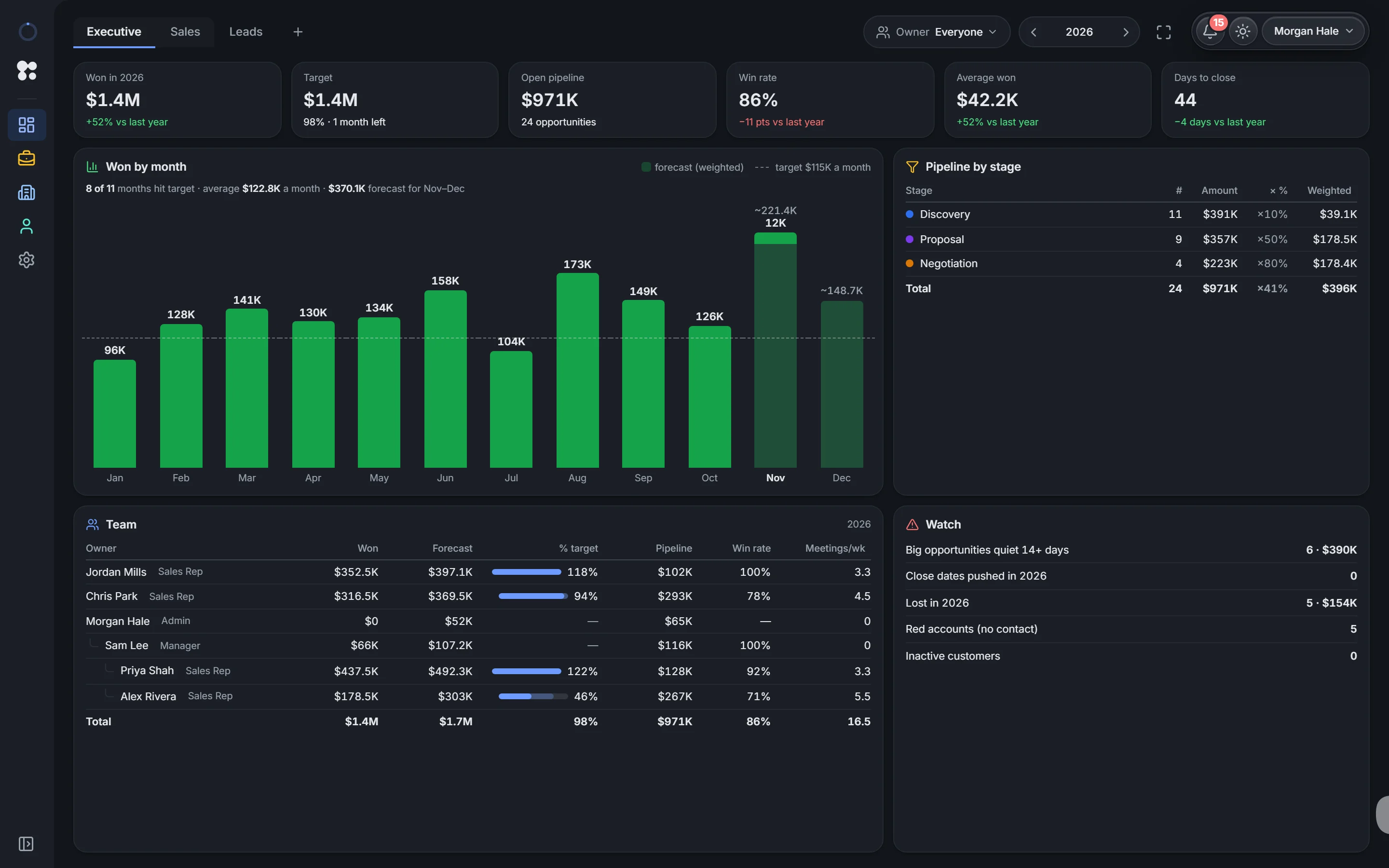
Put the Sales dashboard on the screen: this month and quarter, what's closing, what changed and every rep against target. No slides to build.
For directors
Every rep's meetings, deals and wins land in the same place, so the forecast is what's really happening, not last month's guess.
From the sample workspace: a made-up team, real Ordo screens.
No. There are four kinds of record, one clean screen for each, and every value changes right where it is. Most teams use it the same afternoon.
The Executive dashboard: money won against target, won by month, the pipeline by stage with its weighted value, every rep against target, and what to watch. It's ready to put on the screen in the sales meeting.
Today's tasks: what to do now, what's next, and which deals need action. Emails and meetings log themselves, and AI writes up the call.
Yes. It follows your computer's setting, or you choose. It works on a laptop, a big screen and a phone.
Your own workspace in a minute, with every feature and AI on. No card. Or look around the sample workspace first.